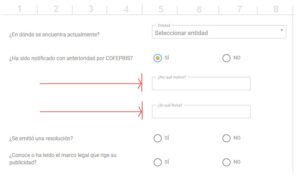
Para limitar el mes de un datepicker en Formidable, usar este código en Code Snippets:
add_action('frm_date_field_js', 'limit_date_field_to_current_month');
function limit_date_field_to_current_month($field_id){
  if($field_id == 'field_FIELDKEY'){ // change FIELDKEY to the key of the date field
    $first_day_of_month = date('Y-m-01');
    $last_day_of_month = date('Y-m-t');
    $first_day_js = date('n-j-Y', strtotime($first_day_of_month));
    $last_day_js = date('n-j-Y', strtotime($last_day_of_month));

    echo "
      ,minDate: new Date('{$first_day_js}')
      ,maxDate: new Date('{$last_day_js}')
      ,dateFormat: 'dd/mm/yy'
      ,showMonthAfterYear: false
      ,monthNames: ['enero', 'febrero', 'marzo', 'abril', 'mayo', 'junio', 'julio', 'agosto', 'septiembre', 'octubre', 'noviembre', 'diciembre']
      ,monthNamesShort: ['enero', 'febrero', 'marzo', 'abril', 'mayo', 'junio', 'julio', 'agosto', 'septiembre', 'octubre', 'noviembre', 'diciembre']
    ";
  }
}
Este código fue escrito por ChatGPT (https://chatgpt.com/c/983f82d5-fc89-466d-95ad-790f116960ab) basado en el código dado por Formidable en https://formidableforms.com/knowledgebase/frm_date_field_js/#kb-custom-dynamic-date-range
Curiosamente, en monthNamesShort estaban los nombres de tres caracteres de los meses (‘ene’,’feb’,’mar’, etc) pero se los tuve que cambiar ya que sólo toma el nombre en ese array, y ChatGPT no lo solucionó.
NOTA: IMPORTANTE que la línea ,dateFormat:’dd/mm/yy’ tenga ese formato para que la fecha elegida sea aceptada por el formulario.