Agregar este código donde se necesite (create o update entry):
add_action('frm_after_create_entry', 'frm_update_updated_at_meta', 10, 2);
add_action('frm_after_update_entry', 'frm_update_updated_at_meta', 10, 2);
function frm_update_updated_at_meta($entry_id, $form_id) {
    if ($form_id == 41) { //id of the form with the entry and the fields to set
        $updated_at = current_time('Y-m-d H:i:s'); // Get the current date and time

        $updated_date = date('Y-m-d', strtotime($updated_at)); // Extract the date part
        $updated_time = date('H:i:s', strtotime($updated_at)); // Extract the time part

        FrmEntryMeta::add_entry_meta($entry_id, 845, '', $updated_date);
        FrmEntryMeta::add_entry_meta($entry_id, 864, '', $updated_time);
        // Replace 845 and 864 with the IDs of the fields where you want to store the date and time parts respectively
    }
}
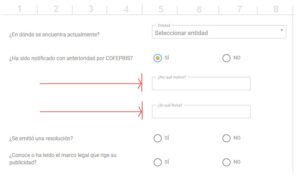
En este caso específico, la función extrae el valor meta de $updated_at (fecha de actualización), lo separa en 2 valores ($updated_date y $updated_time), y cada uno lo coloca en los campos 845 (date field) y 864 (time field) con el método: FrmEntryMeta::add_entry_meta, que automáticamente toma el id de la entrada con $entry_id y coloca el valor respectivo de las variables.
Puede usarse con el hook frm_after_create_entry o con frm_after_update_entry.
Pueden usarse otros valores meta, por ejemplo created_at o entry_id.
Ejemplo para colocar el id de la entrada en un campo:
add_action('frm_after_create_entry', 'frm_add_entry_id', 42, 2);
function frm_add_entry_id($entry_id, $form_id){
   if ( $form_id == 2 ) { //change 2 to the ID of your form
     FrmEntryMeta::add_entry_meta( $entry_id, 30, "", $entry_id);//change 30 to the ID of the field in which you want to store the entry ID
   }
}